Your phone just became a clicker
Everything you need to run a live presentation from any device - and let your whole team drive it with you. Upload your PowerPoint, share a link, present.
iPhone, Android, iPad, Windows, Mac - any browser.
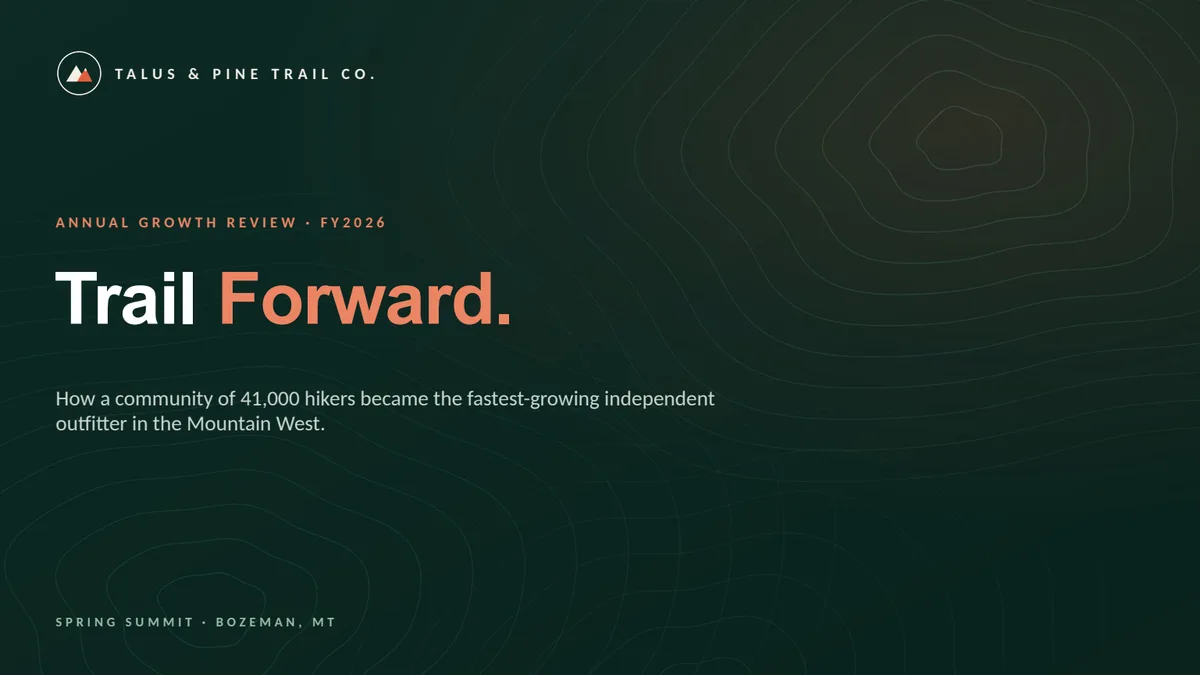
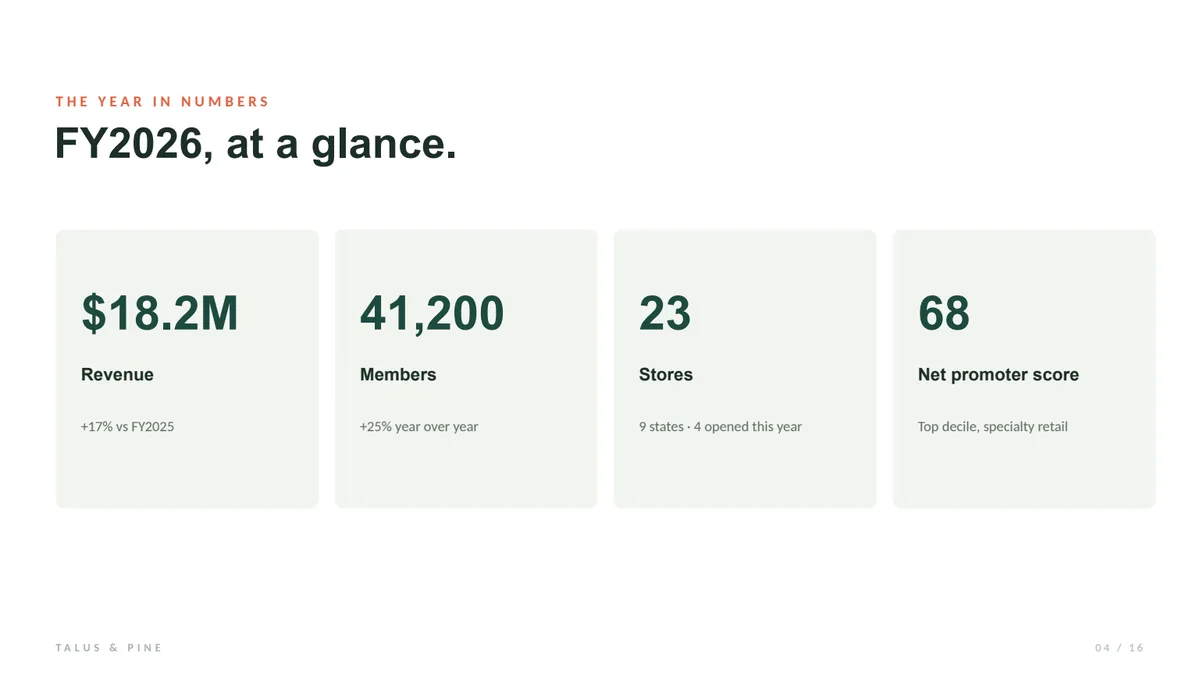
Welcome to the spring summit - the full picture of FY2026, in four parts.

NextSlide Features
Run the whole event from the browser - upload once, then give every presenter, screen, and stream exactly the view it needs.
Works with PowerPoint
Bring the file you already have. NextSlide runs on PowerPoint - and anything that exports to PowerPoint: Keynote, Google Slides, Canva. Build it anywhere, present it here.
- Nothing to rebuild - upload your .pptx as-is
- Keynote, Google Slides, and Canva via PowerPoint export
- Speaker notes come along automatically
Remote control
Share control from anywhere with an internet connection - phone, tablet, or laptop. Your audience sees the slide change instantly.
- Works globally
- Presenters see their notes and slides in sync while they drive
- Works alongside a physical clicker

Share links
Generate unique links for presenters to drive the presentation and for your audience to watch in view-only mode. Delete any link to cut off access instantly.
- Copy and share in seconds
- Clicker mode on mobile
- Control the deck, see slides or notes - on any device

Slide notes
Need your notes while you present? NextSlide converts the speaker notes in your file automatically - and you can edit and format them right in the app, with size and visibility controls for the stage.
- Presenter notes straight from your PPT
- Edit and format notes in the app
- Resize on the fly for visibility on stage
Custom confidence monitors
Turn any device or screen into a confidence monitor that stays in sync. Lead with what your presenter needs to see: the live slide, the next slide, or their notes.
- Active / next / notes views
- Any tablet or display
- Always in sync
Organize your presentation
Reorder, hide, show, or delete slides right from your dashboard - no need to re-open PowerPoint or re-upload. Your changes sync to every presenter and view instantly.
- Drag to reorder
- Hide or show any slide
- Delete in a click

Secure presentations
Add a password to any session for an extra layer of control, and delete a link the moment you need to cut off access.
- Password-protect any session
- Revoke any link instantly
- 256-bit encrypted storage
Control NextSlide with an API
Every presentation gets simple control links - hit one and the slides move forward or back. Drive NextSlide from a Stream Deck, an automation tool, or any software or hardware that can open a URL.
- Advance or go back with a simple URL
- Stream Deck, scripts, and automation tools
- Clean slide and notes feeds for OBS, vMix, and Wirecast

See it on your own presentation.
Upload a presentation and share your first link in minutes.

Frequently asked questions
How does it work?
Create an account, upload your PowerPoint, and you're presenting in minutes. It processes in about a minute; then you make presenter links, share them with whoever's driving, and screenshare to your room or call. Your audience sees exactly what they would from PowerPoint.
Can I use Google Slides or Canva?
Yep. NextSlide runs on PowerPoint files, and Keynote, Google Slides, and Canva all export to PowerPoint, so your presentation works too. Build it anywhere, present it here.
Do I have to install anything?
Nothing to install. It's all in the browser, on any device - just upload and share a link.
Does NextSlide integrate with other software?
NextSlide can work with OBS, Wirecast, and vMix, with custom integrations to pull just the slides or notes. You can also advance the slides with other software or hardware, like a Stream Deck, via API.
Does NextSlide have an API?
Yes. You can grab API links per presentation to control the presentation via external software or hardware.
Can I have multiple presenters?
As many as you like. Share a presenter link with anyone and they can drive the slides right alongside you, no limit.
Do I have to have a license per device?
Nope! Just one account needed - create and share links with anyone who needs them, with no additional per-device costs.
How do presenters share control?
Anyone logged in or holding a presenter link can advance the slides. Hand off as often as you want, no screen-sharing gymnastics.
Does NextSlide work for hybrid events?
Built for it. Send presenter links to your remote folks, plug a physical clicker into the in-room computer running NextSlide, and everyone drives the same presentation in sync.
How far away does it work?
Anywhere with internet. We've had presenters on the same talk advancing slides from different continents without a hitch.
What if I have spotty internet?
Venue wifi is rough, we get it. Your whole presentation loads before you start, so the only thing crossing the network mid-event is a tiny advance signal. Almost no bandwidth needed.
Is my content secure?
You stay in control. Password-protect any presentation, and revoke a share link the moment you want to cut off access.
Can I have animations, builds, or videos?
Not currently. Slides come through as crisp static images; animations, builds, and embedded video aren't supported yet, but we're working on it.
What can I do in the free tier?
Run the whole thing free: the full flow with up to 10 slides and a watermark. When a real event comes up, an Event Pass ($15, one-time) or Pro ($129/yr) clears the cap and the watermark.
Can I use my iPhone as a presentation clicker?
Yes. Open your NextSlide presenter link in Safari or any browser on your iPhone and tap the arrows to advance your slides. There's no app to install.
Does it work on Android?
Yes. Any Android phone or tablet with a browser works the same way - open the link and tap to advance.
Can I control PowerPoint from my phone?
Yes. Upload your PowerPoint presentation to NextSlide and advance it from your phone, from anywhere with an internet connection.
Can I control Google Slides or Canva from my phone?
Yes - export your Google Slides or Canva presentation to PowerPoint, upload it, and drive it from your phone like any other presentation.
Can I use an iPad as a clicker or confidence monitor?
Yes. An iPad makes a great handheld confidence monitor - showing the current slide, next slide, or your notes - while still letting you advance the presentation.
Do I need an app or a USB dongle?
No. NextSlide runs entirely in the browser. There's nothing to install, and no dongle or Bluetooth pairing.
How far from the screen can I be?
As far as you like. The signal travels over the internet rather than Bluetooth, so you can present from across the room, the building, or another country.
Can more than one person control the slides?
Yes. Share the presenter link with everyone presenting and they each drive the presentation from their own phone, with all screens staying in sync.